
A week at Monica Traders
 Loading the video…
Monica has a small grocery shop. It has a store room and one cash counter. Rahim works at the counter. Follow one product, Tea 500g, from the supplier to the customer. Follow Rahim from his first shift to his payslip. The small boxes under each step show the stock in the store room and the cash that should be in the drawer. We got every number here by doing this story in Retail Ops.
Set up (only once)
- 1Monica · ownerAll appsSigns up and creates her business
One email and password open Inventory, Point of Sale and People. She creates the business “Monica Traders” once, with all three apps. Point of Sale is already linked to its Inventory.
- 2Monica · ownerInventoryAdds the store room, the product and the supplier
Warehouse “Store room”. Product “Tea 500g”: SKU TEA-500, cost ৳200, low-stock level 10. Supplier “Tea Co”. Its price list says ৳190 a packet.
Stock 0 - 3Monica · ownerPoint of SaleSets up the shop counter
Store “Front shop”, stock from warehouse “Store room”. Counter “Counter 1”. Product: “Already in Inventory? Choose it” → Tea 500g. She sells it at ৳300. It is linked to TEA-500.
From now on, tea sold at the counter comes straight out of the store room stock.
- 4Monica · ownerPeopleAdds Rahim and his contract
Staff member Rahim. His contract starts on 1 Jan at ৳30,000 a month. So his monthly salary is ৳30,000. On Businesses she adds him once: cashier in Point of Sale, employee in People.
Buy stock
- 5Monica · ownerInventoryMonday: orders 50 packets from Tea Co
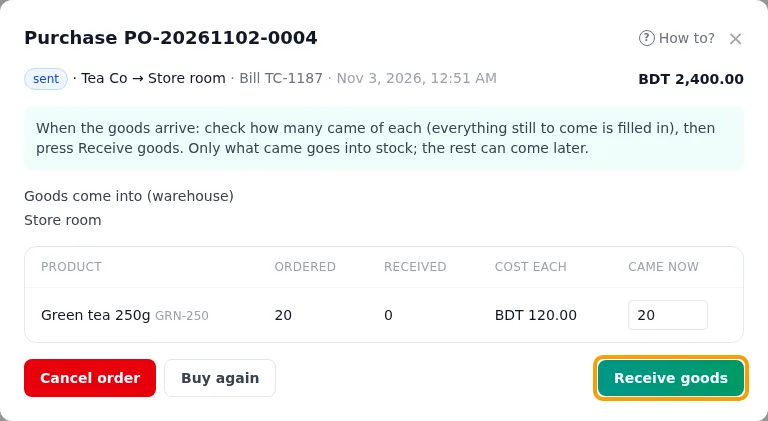
Purchase stock → No, ordered — they come later: Tea Co, Store room, 50 × Tea 500g. The price ৳190 comes from the price list. Total ৳9,500. She presses Save order, then Mark sent.
Mark sent is optional: goods that arrive on a draft can be received, and the order then counts as sent.
Stock 0PO sent - 6Monica · ownerInventoryWednesday: 40 packets arrive
She opens the order, types 40 under Came now and presses Receive goods. Stock history shows “purchase received 40”, at ৳190 each. The order now shows “partly received”.
Stock 40PO partly received - 7Monica · ownerInventoryFriday: the last 10 will not come
She presses Close (no more to come). Nothing more can be received on this order.
You can close an order that came in part. You cannot cancel it.
Stock 40PO closed
A day at the counter
- 8Rahim · cashier / employeePoint of SaleOpens his shift
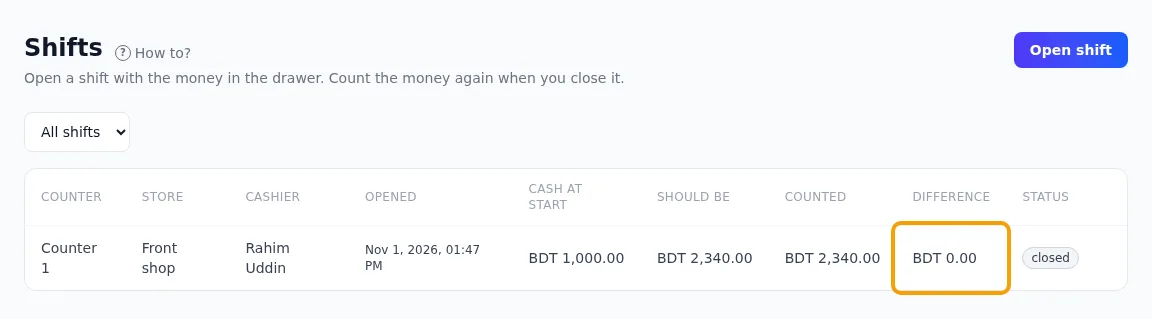
Counter 1. Cash at start: ৳1,000.
One counter has only one open shift at a time.
Stock 40Drawer ৳1,000 - 9Rahim · cashier / employeePoint of SaleSells 3 packets for cash
Receipt RCP-…-0001: 3 × ৳300 = ৳900. The customer gives ৳1,000. Change: ৳100. At the same time, Inventory records a “sale” of 3 for this receipt.
A sale of 50 would be refused. The store room has only 40.
Stock 37Drawer ৳1,900 - 10Monica · ownerPoint of SaleRefunds one torn packet
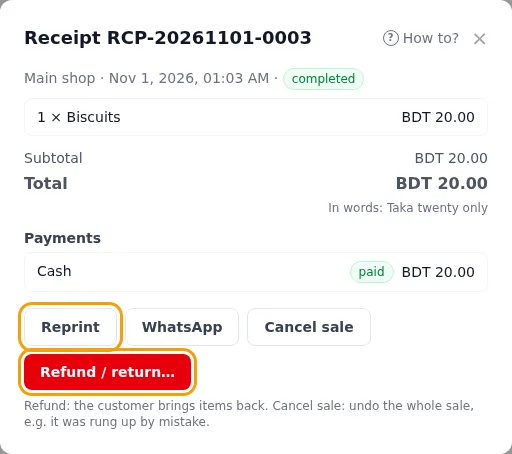
Rahim is a cashier, so he cannot refund. Monica does it: 1 packet, reason “packet torn”. ৳300 comes out of Rahim’s open shift. Inventory records a “refund” of 1. The receipt shows “partially refunded”.
Cash is paid back only from an open shift. Never from a closed one.
Stock 38Drawer ৳1,600 - 11Monica · ownerPoint of SalePays ৳200 for cleaning supplies
Cash drawer → Paid a cost ৳200. What for: “cleaning supplies”.
Stock 38Drawer ৳1,400 - 12Rahim · cashier / employeePoint of SaleCloses his shift
He counts ৳1,400. Should be = 1,000 cash at start + 900 sales − 300 refund − 200 paid out = ৳1,400. So the difference is ৳0. The shift cannot be changed now.
Stock 38Drawer closed · ৳0 difference - 13Monica · ownerPoint of SaleReads the end-of-day report
1 sale · total sales ৳900 · refunds ৳300 · sales after refunds ৳600 · and the cash check above.
If tea drops to 10 packets, the Inventory dashboard and the Low stock list show it. Time to order again.
Pay the staff (September)
- 14Monica · ownerPeopleApproves one day of unpaid leave
Rahim asks for 15 Sep off as unpaid leave. Monica approves it. His unpaid leave goes from 10 days to 9.
- 15Monica · ownerPeopleWrites down his overtime
16 Sep, 09:00–21:00, with 4 hours of overtime.
Every day, Rahim scans the QR code on the shop’s check-in screen. This records when he comes and goes. HR adds the overtime hours.
- 16Monica · ownerPeopleMakes the September pay run
Make payslips for 1–30 Sep (22 working days):
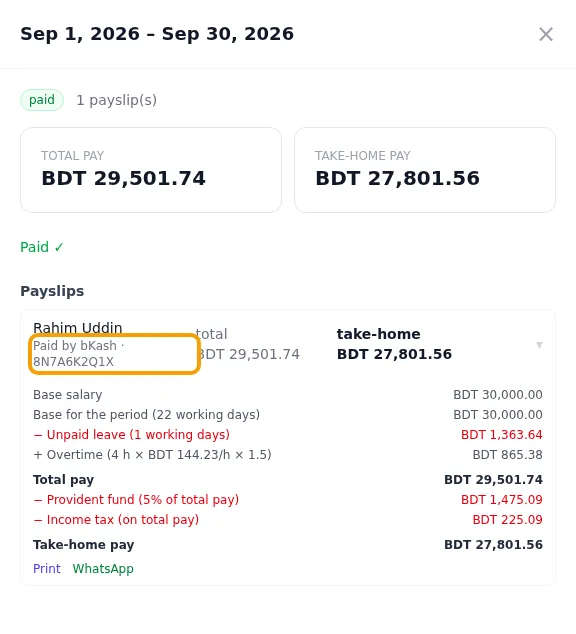
Monthly salary 30,000.00 − Unpaid leave (30,000 × 1 ÷ 22) −1,363.64 + Overtime (4 h × ৳144.23 × 1.5) +865.38 = Total pay 29,501.74 − Provident fund 5% −1,475.09 − Income tax (slabs) −225.09 = Take-home pay ৳27,801.56 A second pay run with September dates would be refused.
- 17Monica · ownerPeopleApproves and pays
She presses Approve. She pays Rahim. Then she presses Mark as paid. The app records a payment for Rahim. It does not send money.
A pay run cannot be paid twice.
What it looks like
This is the example business, “Monica Traders (example)”, in each app. Some numbers are a little different from the story. The example shop has kept selling since then.
Next, read the full how-to for each app: Inventory, Point of Sale and People.